 1238 St. James Place
Clip Auto-Editor
Cuts your videos and images on the beat.
- Pace and importance per clip
- Jump, crossfade and blur transitions
- Position locks: Hook · Result · CTA
- Music auto-fade
Video Composer: cut your clips on the beat.
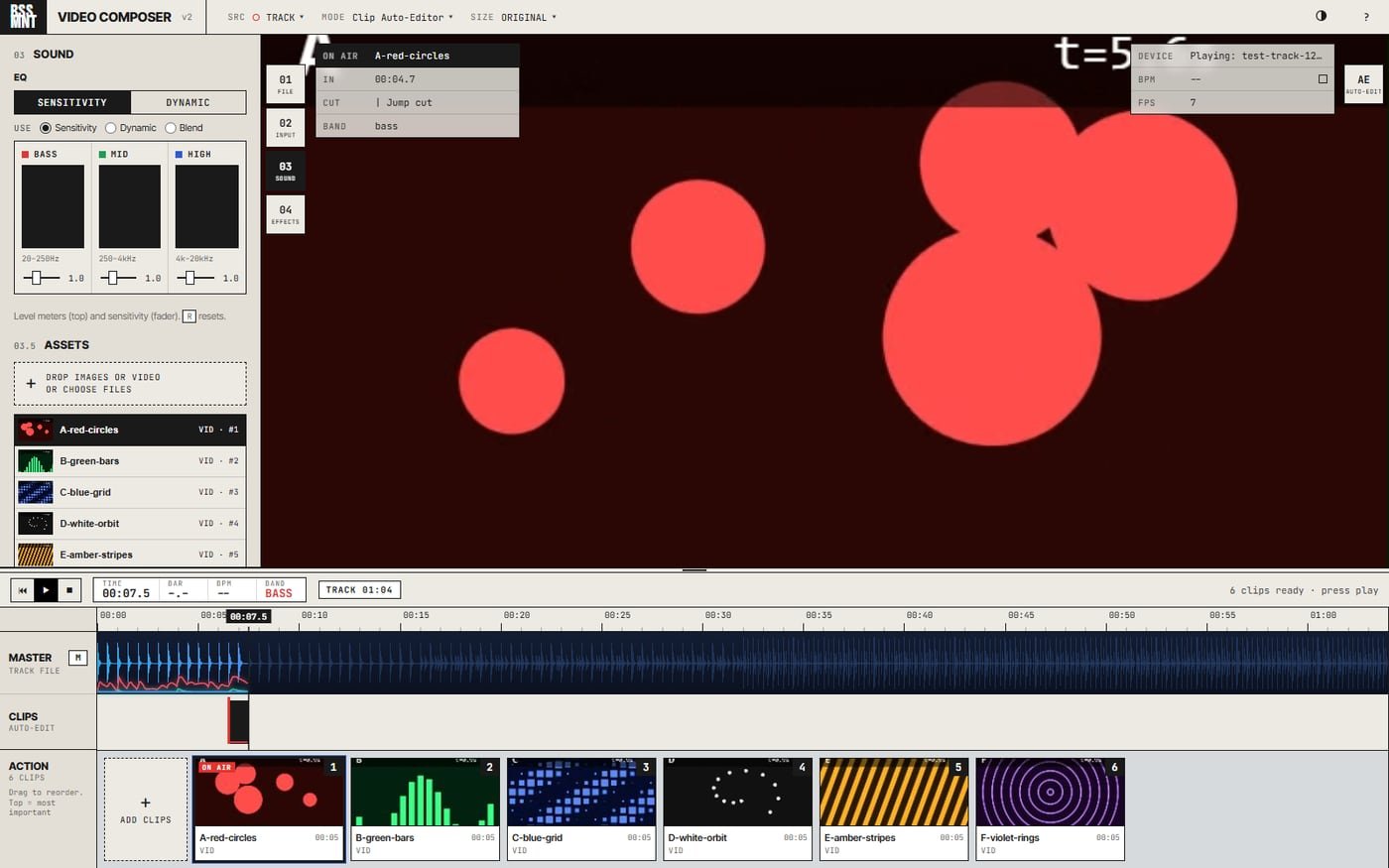
A beat-locked video composer and DJ visualizer that runs entirely on your computer. Play a track (or go live from a mic or line in), let the Auto-Editor cut your clips on the beat, add titles and credits, then export a finished MP4. Rendered on your machine: no internet, no uploads.
Who it’s for
DJs, content creators and video hobbyists.
BSSMNT streamlines making a music video: you bring the song and the clips, the system does the first pass (placement, timing, transitions, all from the music), and you stay in control of every decision it makes.
Serious enough to grow with you, simple enough that you’ve never needed to open an editor before.
What it does
Cuts your videos and images on the beat.
Visuals that react to the music, for live sets or the video itself.
Record or import narration over the music.
Titles, rolling credits and free text, timed on the timeline.
See the frame live at 16:9, 9:16 or 1:1, and lay text out per shape, like a responsive website.
MP4 (H.264 + AAC), rendered on your machine, faster than real time on a GPU.
Save and reopen everything as a .mnt file.
Run it off a DJ set or a mic and record the input, so live exports have sound.
Untested in real-world use yet.
.asf, .wmv and .wma recordings convert on import in the desktop app.
Plus a dynamic EQ and a dark skin.
Visual modes
Every mode reacts to the bass, mids and highs of whatever’s playing. Press the number to switch.
Getting started
Space play / pause · F fullscreen · 1–9 visual modes · 0 Clip Auto-Editor · Ctrl+S save · ? help
Get BSSMNT
$19.99
The ready-to-run Windows desktop app: installer or portable zip.
Thank you, I hope you love.
Buy on GumroadFree
The full source is open (MIT). Build it with Node.js, or run the web version straight from the folder in Chrome, Edge or Firefox.
Source on GitHubBuilt on the open-source JS DJ Audio Visualizer by Waskar Paulino (traksaw). BSSMNT v2 by Omar (TheTyrant). Uses p5.js, Mediabunny, fflate and FFmpeg, each under its own licence.